Marktnachrichten, die so schnell sind wie der Markt, mit KI-Sentiment
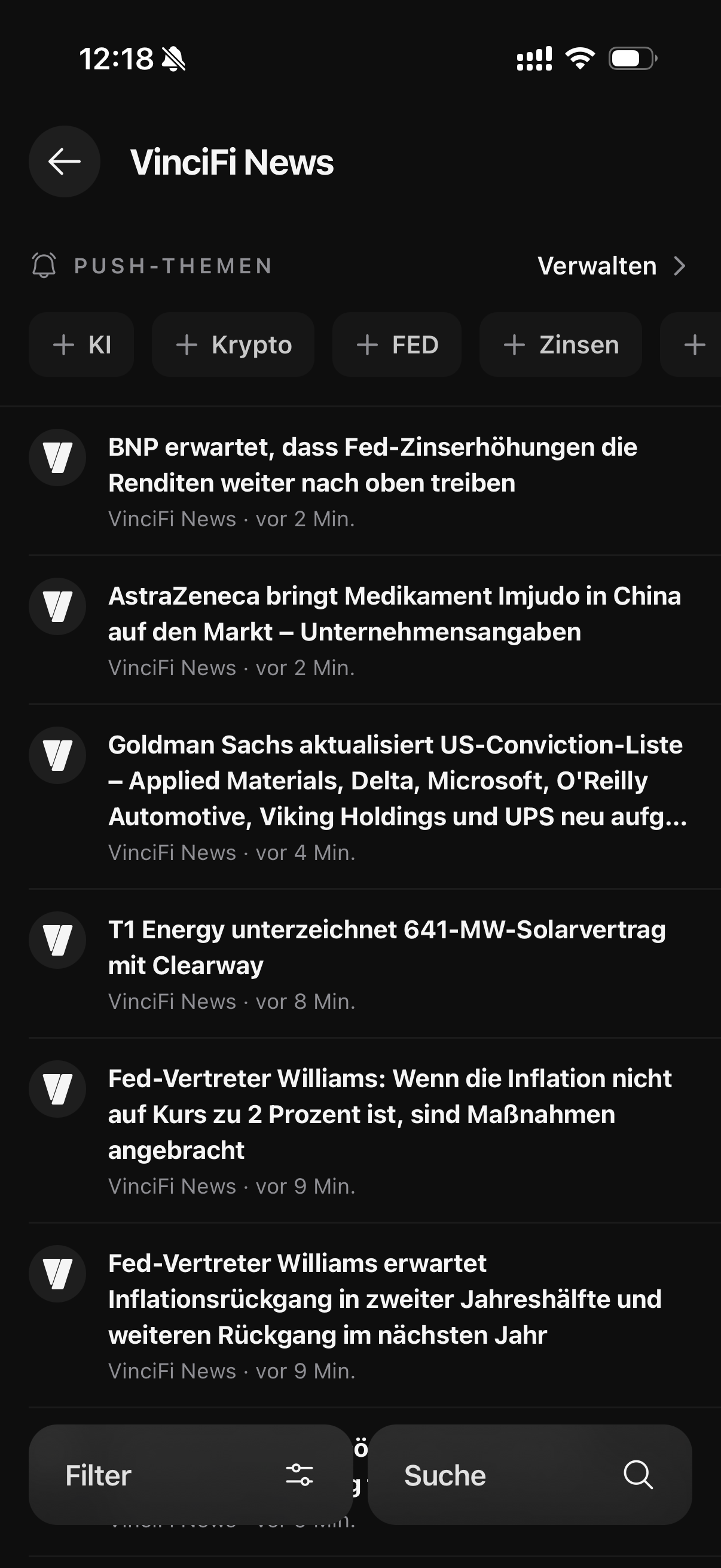
Vincifis Nachrichten-Feed bringt Tiefe und Geschwindigkeit in einen Screen. Kategorisierte Feeds mit KI-Sentiment-Badges (fünf Stufen) und Breaking-Flags, Unternehmensreferenzen pro Artikel, Lesezeit-Schätzungen und ein anpassbarer Reader (Schriftart, Größe, Zeilenabstand), plus Ein-Tipp-KI-Folgefragen mit dem Artikel als Kontext. Fokus auf den News-Feed; für Echtzeit-Analystenkommentar siehe Market Live.
Was der Nachrichten-Feed liefert
Kategorisierte Feeds & KI-Sentiment
Nach Kategorie browsen mit fünfstufigen KI-Sentiment-Badges und Breaking-Flags: so erkennst du die Marktwirkung auf einen Blick.
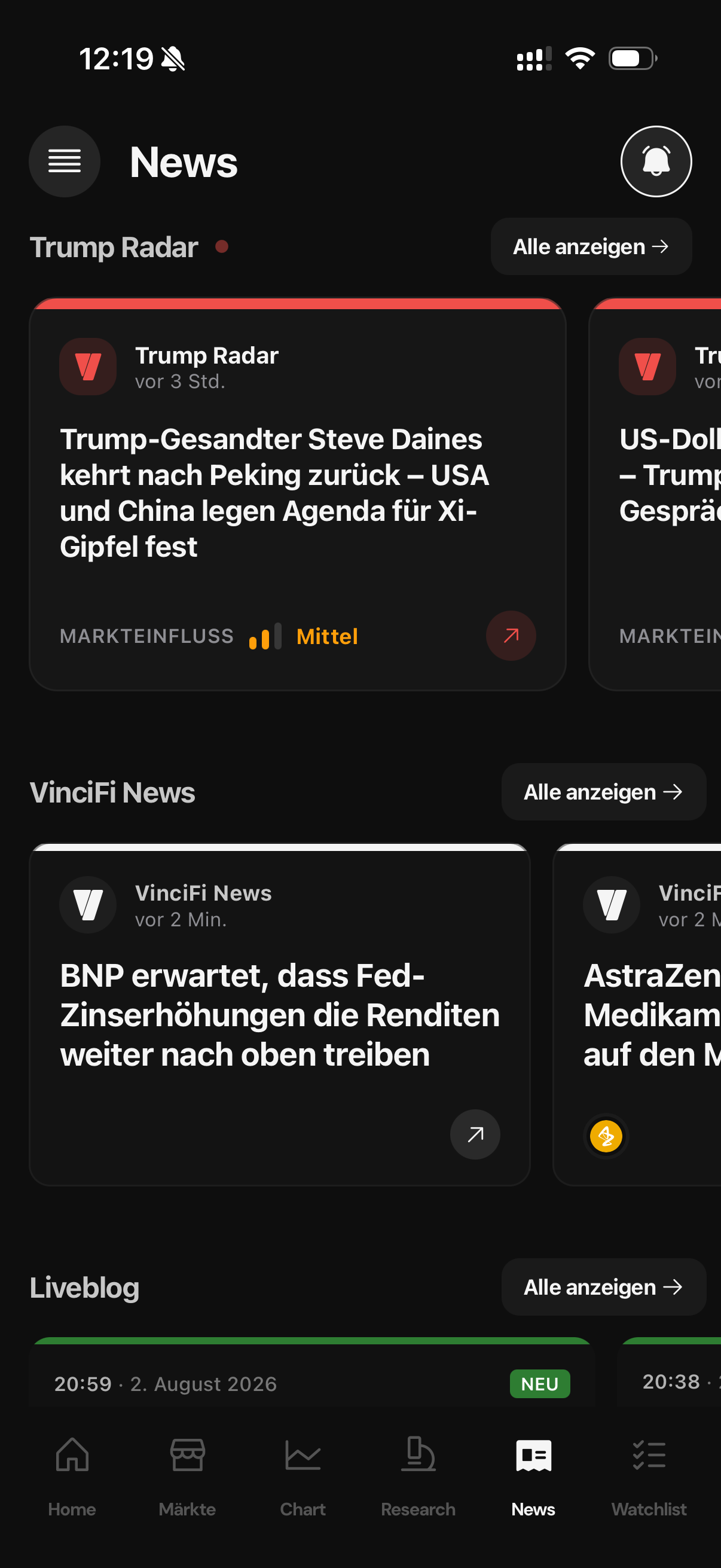
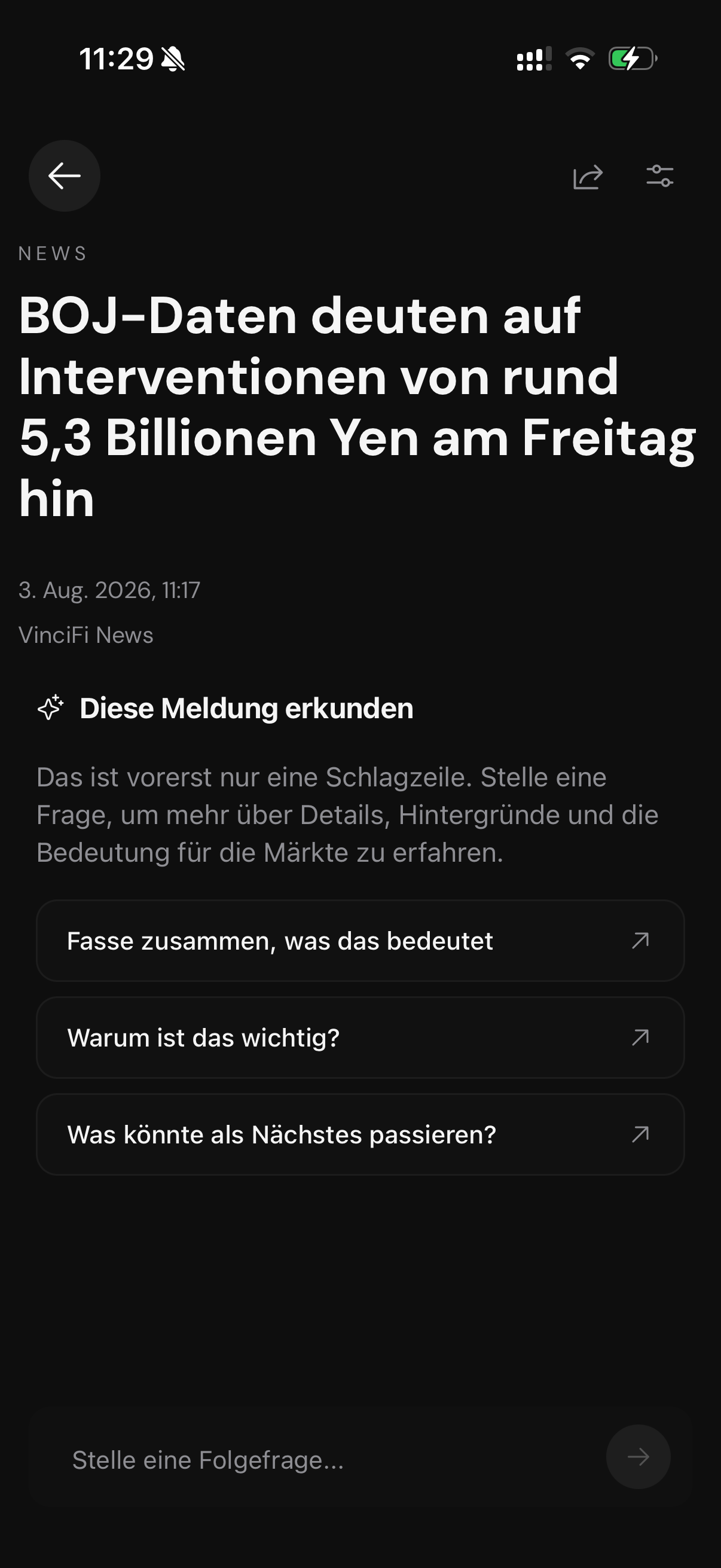
Unternehmenslinks & anpassbarer Reader
Jeder Artikel verlinkt die erwähnten Unternehmen, zeigt Lesezeit und bietet einen ablenkungsfreien Reader, den du an deine Lesegewohnheiten anpasst.
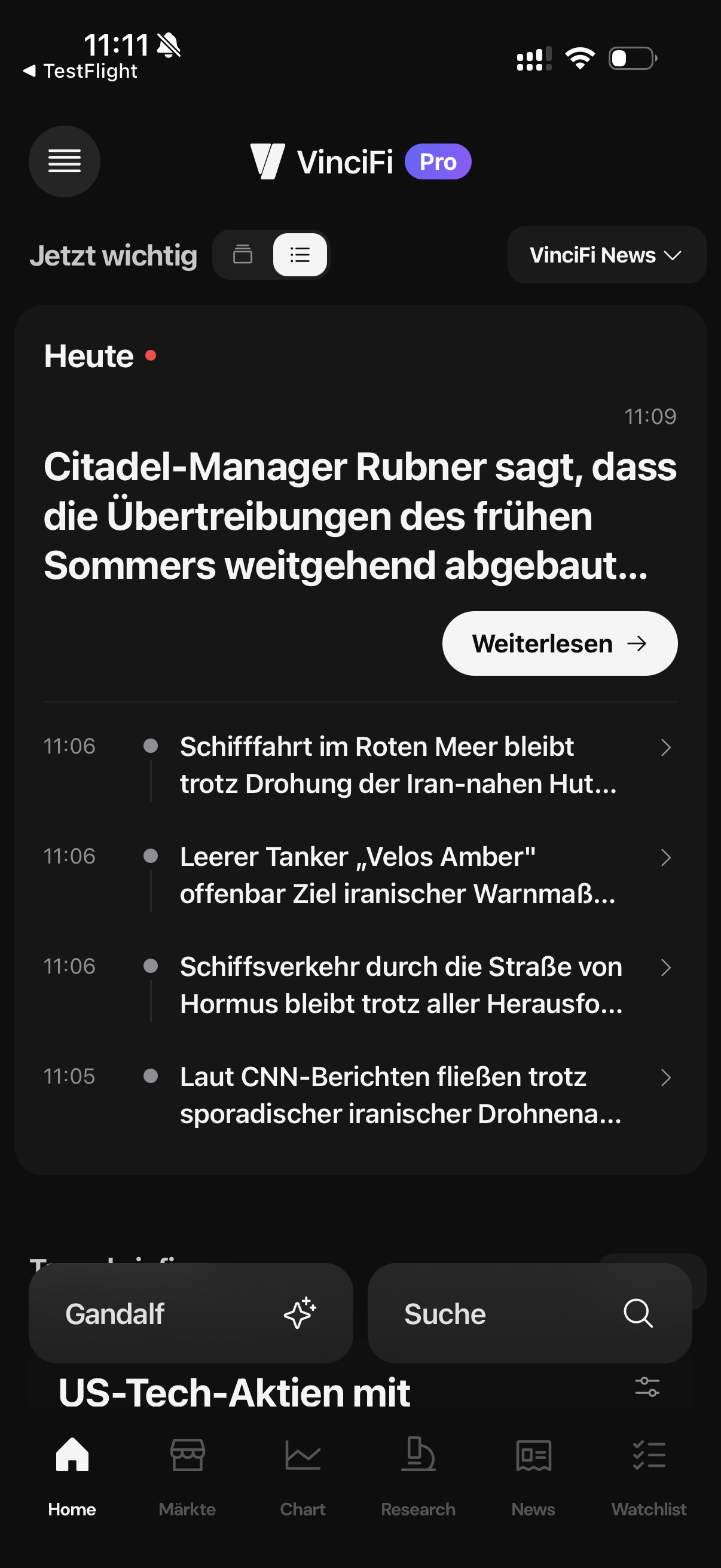
Ein-Tipp-KI-Folgefragen
Verstehst du eine Schlagzeile nicht? Tippe „Ask a follow-up“: die KI erklärt mit dem Artikel als Kontext, ohne die App zu verlassen.
So funktioniert's
Vom Feed zum Verständnis in drei Schritten
- Schritt 01
Kategorie-Feeds durchstöbern
Wähle eine Nachrichtenkategorie und scanne Artikel mit Sentiment-Badge und Breaking-Flag.
- Schritt 02
Im Reader lesen
Öffne den Artikel im anpassbaren Reader: passe Schriftart, Größe und Zeilenabstand an.
- Schritt 03
KI-Folgefrage stellen oder zum Unternehmen springen
Tippe auf ein verlinktes Unternehmen für die Research-Seite oder stelle der KI eine Folgefrage zum Artikel.
Häufig gestellte Fragen
- Zeigen Artikel Sentiment?
Ja: ein fünfstufiges KI-Sentiment-Badge plus Breaking-Flags.
- Kann ich die KI zu einer Story fragen?
Ja: Ein-Tipp-Folgefrage lädt den Artikel als Kontext.
- Kann ich den Reader anpassen?
Ja: Schriftart, Größe und Zeilenabstand.
- Sind Unternehmen aus Artikeln verlinkt?
Ja: erwähnte Unternehmen sind direkt aus dem Artikel erreichbar.
- Ist der Nachrichten-Feed kostenlos?
Kategorisierte News-Feeds erfordern Anmeldung; der Builder und die KI-Folgefragen sind Teil der App.
Nachrichten mit Sentiment und KI-Kontext.
Lade VinciFi für iOS oder Android herunter. Kategorisierte Finanznachrichten mit Reader und KI-Folgefragen inklusive.
VinciFi stellt Finanzdaten und Analysen ausschließlich zu Informationszwecken bereit. Die Inhalte dieser Seite stellen keine Anlageberatung dar. Bitte führe vor jeder Anlageentscheidung eine eigene Prüfung durch.
